Free QR code generator. Static codes never expire.
Make a link or text QR code right here, no account needed. A free account adds Wi-Fi, WhatsApp, email and more, your colours and SVG downloads. Need to change a code after printing or count scans? Choose Dynamic.
Link and text codes need no account. No ads, no card.
- No card or ads
- Link & text codes without an account
- Free PNG & SVG with a free account
Make your QR code
Long link, busy code. A Dynamic code holds a short link instead: fewer squares, easier to scan, and you can change it later and count scans. Make it Dynamic
Guests point their camera at it and join without typing. Your password stays on this page; it isn't sent anywhere.
Include the country code so it works for visitors from abroad.
Include the country code.
Opens the place in Google Maps, or the phone's maps app. For an exact spot, use coordinates: in Google Maps, press and hold the spot and copy the numbers.
Scanning offers to add it to the phone's calendar, in the scanner's local time. Without an end time, it lasts one hour.
For UPI apps in India, like Google Pay, PhonePe, Paytm and BHIM. Pay a small amount to yourself first to check it works.
Opens the box for leaving a review of your business. How to find your review link
Example: an editable code whose web address is changed after printing, with its scans for the week.
Dynamic codes need a free account.The link you typed comes with you. 3 editable codes free, never switched off.
Create a free accountExample: a guest at Table 4 taps "Call a waiter"; it arrives straight away on the staff's phones and on the live requests board.
One QR code per table or room.Guests tap, your team's phones ring.
Static code: your web address is stored inside the code, so it never expires and needs no account. It works as long as that web address does.
Make the QR code part of the design.
Type that wraps around the code, four shapes, curated palettes and 33 variable fonts. Every design is scan-tested while you work, then exports as vector SVG, PDF and EPS with outlined type, CMYK print files and sticker cut lines.
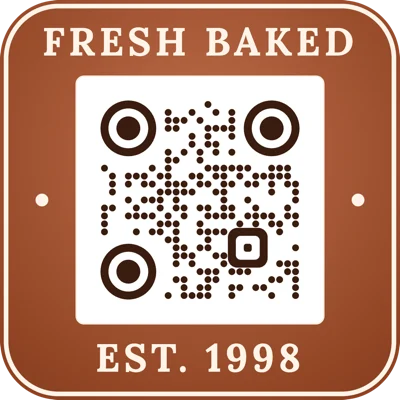
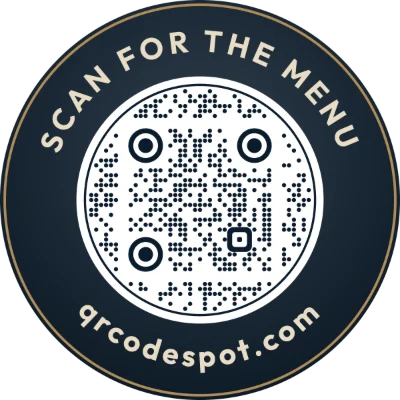
Tap a design to start from it, then make it yours. The Standard look is free without an account and a free account adds Minimal; paid plans add the Badge look, logos, vector and print files.
Popular QR codes
More free codes: Google review · UPI payment · Map location · Calendar event · SMS · Bulk from a spreadsheet
Need to change it after printing?
A static code can't be edited once it's printed. An editable code can: change where it goes whenever you like and see how often it's scanned.
Editable QR codes
Print once, then change where the code goes whenever you need to: a new menu, a new offer, a new form.
Change it after printing
Every printed copy goes to the new page straight away.
See how often it's scanned
Scans by day, phone type and country. Never who scanned.
Ready to print
Download a high-resolution PNG, or SVG and PDF for print, in any style and frame, with your logo.
QR codes that work as buttons
Put a code on each table, room or area. Customers tap what they need, and your team gets it on a live screen and their phones. How QR Service Requests work
Try it: a guest's phone and your team's screen
One QR code per table, room or meeting room lets customers call a waiter, request towels or get technical help. Tap a request on the guest's phone and watch it arrive for the team, add a note, then accept it. Nothing here is sent anywhere.
Guest's phone
Staff receiver
Example only: nothing here is sent anywhere. The real thing adds phone alerts, shifts, departments and a daily report.
The printed-code guarantee
Printing 60 table tents is a commitment. Here's what we promise about the codes you print.
We can't promise that other websites stay online: any code opens the page you chose, and that page is up to whoever runs it.
Free forever, or a plan that grows with you
- Free$03 editable codes, unlimited static codes and scans
- Starter$4/mo15 codes, unlimited changes, 90 days of analytics
- Growth Most popular$9/mo100 codes, lifetime analytics, 3 staff logins
- Pro$24/mo300 codes, 10 staff logins, 10 request boards
- Scale$55/mo1,000 codes, unlimited staff and request boards
Paid plans billed annually; monthly from $5. Prices include any sales tax or VAT: you pay the price shown.
Compare plansGuides
Questions
Is QR Code Spot free?
Yes. The Free plan has unlimited static codes and scans, 3 editable codes (links and service-request locations together), 5 destination changes a month and full analytics for the last 7 days. No ads, no card. Paid plans start at $4 a month billed annually ($5 monthly), up to 1,000 editable codes with unlimited changes and lifetime analytics. Prices include any sales tax or VAT: you pay the price shown.
What is a dynamic QR code?
A dynamic (editable) QR code contains a short link instead of the final web address. You can change where the short link goes at any time, so a printed QR code can point somewhere new without reprinting it. Dynamic QR codes can also count scans.
Can I change a QR code after printing it?
Yes, if it's an editable code. Sign in, open the code and enter a new destination. Every printed copy goes to the new page straight away. Static codes can't be changed.
How do I track QR code scans?
Each editable code has its own analytics page showing total scans, scans per day, phone types and countries. It counts scans, not people, and never records who scanned or their IP address.
Do QR codes from QR Code Spot expire?
Static codes never expire: they keep working as long as the page they point to stays online. Editable codes keep working too, whatever your plan and with no scan limit, even if you cancel. Your plan decides how many you can change (3 on Free): above that, the extra ones lock until a plan covers them, but they keep opening the same page. Nothing is deleted.
Can I add my logo to a QR code?
Yes, on a paid plan (from Starter); you can try it free in the preview. Upload your logo as a PNG, JPG, SVG, PDF, AI, EPS or most other image files and it sits in the middle of the code. You can keep its colours or turn it monochrome or black and white, and change its size. The code uses extra error correction so it still scans, and every design gets an automatic readability check before you download it; test the downloaded code with your phone too.
What kinds of QR code can I make?
Links, Wi-Fi networks (guests join without typing the password), WhatsApp chats, emails, phone calls, plain text, contact cards (vCard), SMS, map locations, calendar events, UPI payments and Google reviews. All of them are free. Link and text codes in the plain style need no account; the other types, colours, three styles and the SVG, PDF, EPS and JPG downloads need a free account (no card). Codes downloaded without a paid plan carry a small QR Code Spot badge; logos, icons, frames and gradients come with paid plans.
Which file formats can I download?
PNG from 600 to 4000 px and JPG for screens, and SVG, PDF and EPS for print, which stay sharp at any size. A free account gets them all; there is also a print-ready CMYK PDF with bleed and crop marks for print shops. The bulk page makes up to 500 at once as a ZIP.